
Search
Probe gives you two kinds of search and they answer different questions. The log-table search above the log table narrows which requests are visible. The Detail panel search jumps through matches inside one request’s headers and body. They run independently — you can use both at once.
Log-table search (narrows the list)
Section titled “Log-table search (narrows the list)”The log-table search sits above the log table, just under the toolbar — its placeholder reads Filter by URL…. Type into it and the log table immediately hides any request that doesn’t match. Clear the field to show everything again.
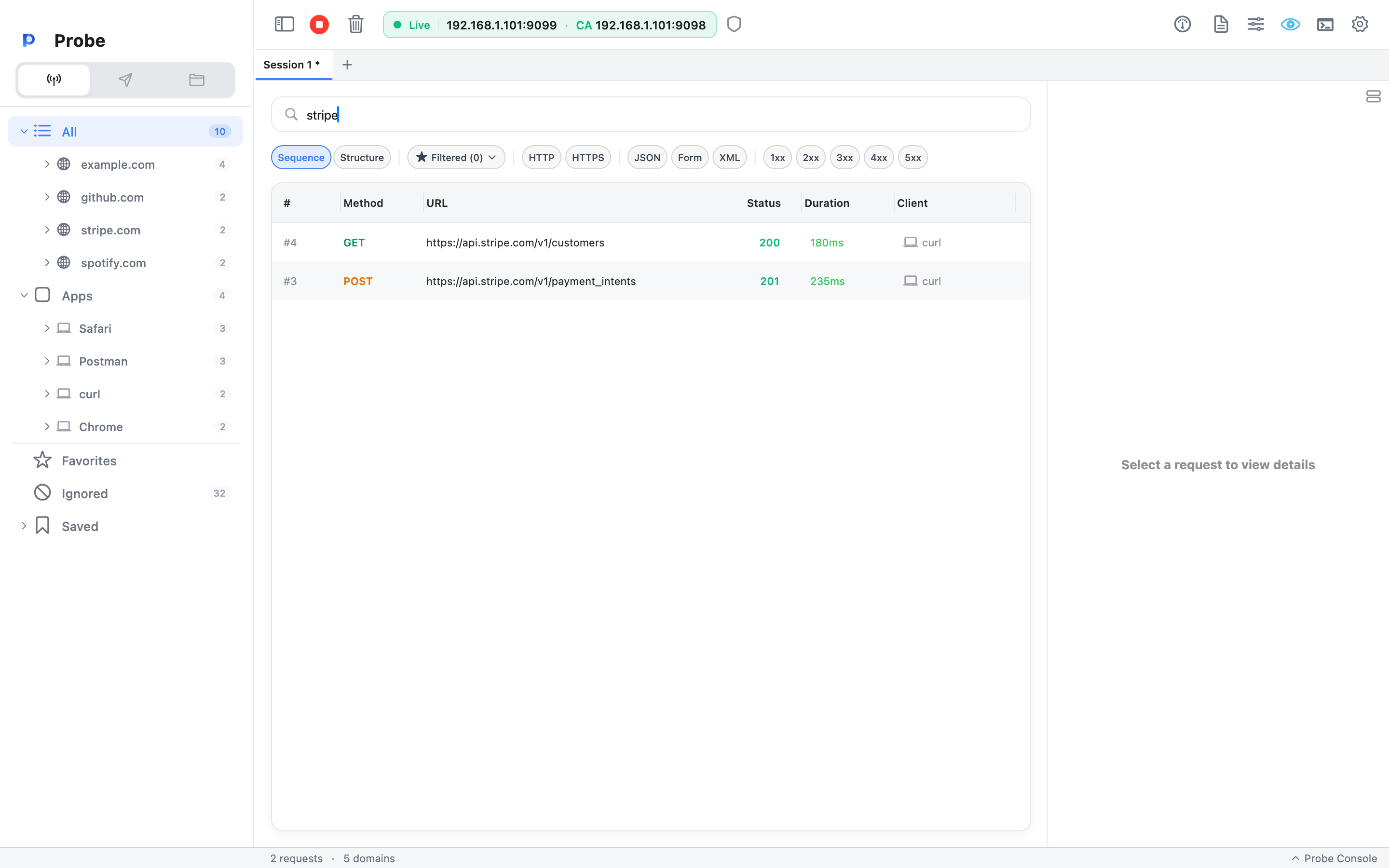
Search runs against:
- The full URL (host + path + query).
- Method (
GET,POST, …). - The combined
<METHOD> <URL>string, soPOST /loginmatches as a single substring.
It’s a substring match, case-insensitive — typing users matches https://api.example.com/v1/users/42 and any host containing the letters users. Status code and content type aren’t part of the substring scan; use the chip toggles in the FilterBar (1xx–5xx, JSON / Form / XML) below the search field for those.
The search combines with whatever is selected in the sidebar. If you’ve clicked the api.example.com node and typed POST in the search, you only see POSTs to that host. The query is global — it stays as you switch tabs, so clear it explicitly when you no longer want it applied.
Common queries
Section titled “Common queries”A few patterns that come up daily:
auth— locate every request whose path or host contains the word.POST— substring match against method + URL, so this surfaces every POST regardless of host.staging— quickly isolate calls to a staging host without selecting it in the sidebar.users/42— a path fragment that’s specific enough to skip everything else.
For status-class slicing (5xx errors, 4xx errors) flip the 5xx / 4xx chip in the FilterBar instead of typing it; the search field doesn’t see status codes. For repeating combinations of search + chips + sidebar selection, save them as a Filtered List — one click reapplies the same filter later.
Combining with views
Section titled “Combining with views”Both Sequence and Structure view honor the search. In Structure view, hosts and path nodes that have no matching descendants collapse out of the tree, so a search for 500 cleans the view down to just the offending endpoints.
Domain Watch is a separate, capture-time gate. The search can only narrow what’s already in the log; it can’t surface traffic from an unwatched domain that was filtered out earlier in the pipeline.
Detail panel search (jumps through one request)
Section titled “Detail panel search (jumps through one request)”Once you’ve selected a request, the Detail panel has its own search bar — independent from the log-table search. It searches the headers, query parameters, and body of the selected request only.
Behavior:
- Matches are highlighted inline.
- A match counter shows
3/18. - Up / down arrow buttons next to the counter jump between matches and scroll the panel into view.
- Searching is case-insensitive substring by default.
The right-side Detail layout has one shared search bar that’s open by default. The bottom layout splits Request and Response into two panes side by side, and each pane has its own search toggle — useful when you want to search a long response body without losing your spot in the request headers.
For larger JSON bodies, the search runs against the rendered (pretty-printed) text, so a search for "userId" works whether the wire body was minified or not.
Tips for finding requests
Section titled “Tips for finding requests”A few rules of thumb that save time:
- By status class — flip the 4xx or 5xx chip in the FilterBar. Color coding in the log table makes the matches even easier to spot.
- By content type — flip the JSON, Form, or XML chip in the FilterBar.
- By host — clicking the host in the sidebar is faster than typing it. Hold a search query alongside to slice further (e.g. host
api.example.com+ searchPOST). - By time — for “the last thing that happened”, switch to Sequence view and look at the bottom.
Related
Section titled “Related”- Filtered Lists — save log-table search queries for one-click reuse
- Domain Watch — capture-time gating, distinct from search
- Sequence vs Structure view — both views obey the same log-table search
- Detail panel — the home of in-request search