
Sequence vs Structure view
The log table has two view modes: Sequence and Structure. They render the same captured traffic, but the layout changes how quickly you can answer different questions. Sequence wins when you’re watching events happen live; Structure wins when you’re exploring an unfamiliar API.
You switch between them with the view-mode button in the FilterBar above the log table. The current mode persists across sessions.
Sequence view
Section titled “Sequence view”Sequence view is a flat, chronological list — capture-time order, newest at the bottom. Each row is one request: method badge, host, path, status, duration, size.
Use Sequence when:
- You’re reproducing a flow and need to see the order events fired in.
- You’re chasing a race condition where two requests interleave.
- You want the lowest-friction view for live debugging — new rows appear instantly without any tree to expand.
- You’re scanning for a single anomaly (an unexpected
500, a long duration) across all hosts at once.
Sequence view orders rows by capture time. New rows append at the bottom as traffic arrives.
Structure view
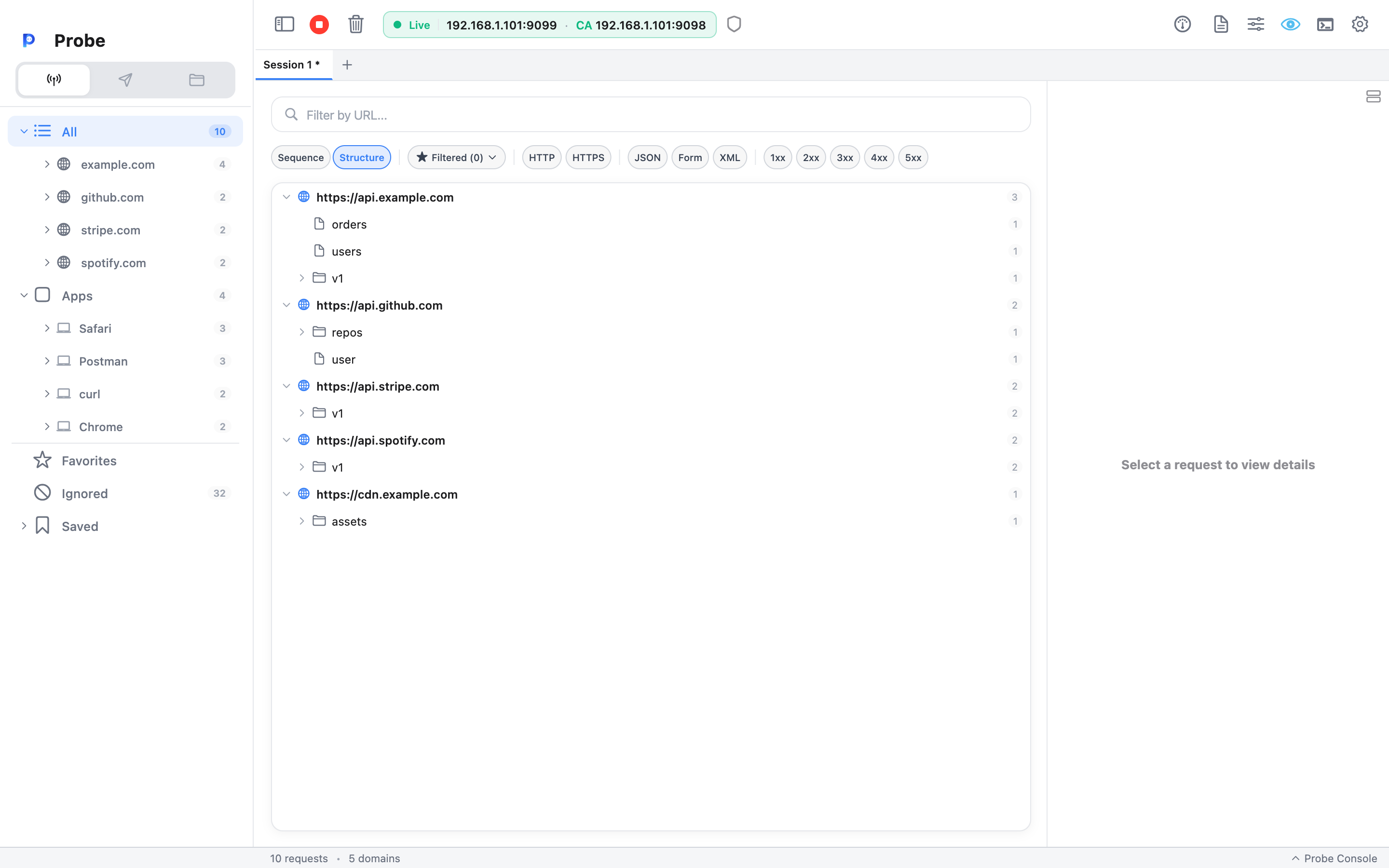
Section titled “Structure view”Structure view groups requests into a tree: one node per host, then one node per path segment. The tree expands to reveal the actual requests at each leaf.
api.example.com├── /v1/│   ├── /users        (3 requests)│   ├── /orders       (5 requests)│   └── /products     (2 requests)└── /health           (1 request)
cdn.example.com└── /static/    └── /js           (12 requests)
Use Structure when:
- You’re exploring an API you’ve never touched before and want a quick map of its endpoints.
- You’re grouping a long debugging session — all calls to
/v1/userscollapsed into one node. - You want to see request counts per endpoint at a glance (the badge on each node).
- You’re auditing what an app talks to: every host appears as a top-level branch.
Click a host or path segment to expand or collapse. Click a leaf request to load it into the Detail panel just like in Sequence view.
Filtering and search behavior
Section titled “Filtering and search behavior”Both view modes share the same filter bar, search input, and sidebar selection. Whatever’s selected in the sidebar (a domain, a Filtered List, the All node) narrows the rows in either view. Search inside the FilterBar also applies to both views.
In Structure view, filters affect which leaves are present, and empty branches collapse out automatically — so flipping on the 5xx chip in the FilterBar collapses entire hosts that have no errors.
Domain Watch gates traffic at capture time, so it affects both views identically: unwatched domains show their teaser only.
When to switch
Section titled “When to switch”A practical pattern:
- Start in Sequence while you reproduce the bug — you want to see exactly when each request fired.
- Switch to Structure once you’ve got the relevant traffic captured — fold up the noise, navigate the API surface, and click into the specific endpoints you care about.
- Save the result as a session — the captured rows travel in the
.profile, and your reader can flip between Sequence and Structure on their end.
Related
Section titled “Related”- Detail panel — what each row opens into
- Search — filtering inside both view modes
- Domain Watch — cuts noise before traffic reaches the table
- Sessions — save the current view for later