
Authentication
The Auth sub-tab on a Composer request picks how Probe attaches credentials to the outgoing request. Auth is set on the request itself, on the collection (as a default for everything underneath), or by inheriting from the parent collection. The same set of auth types is available at both levels.
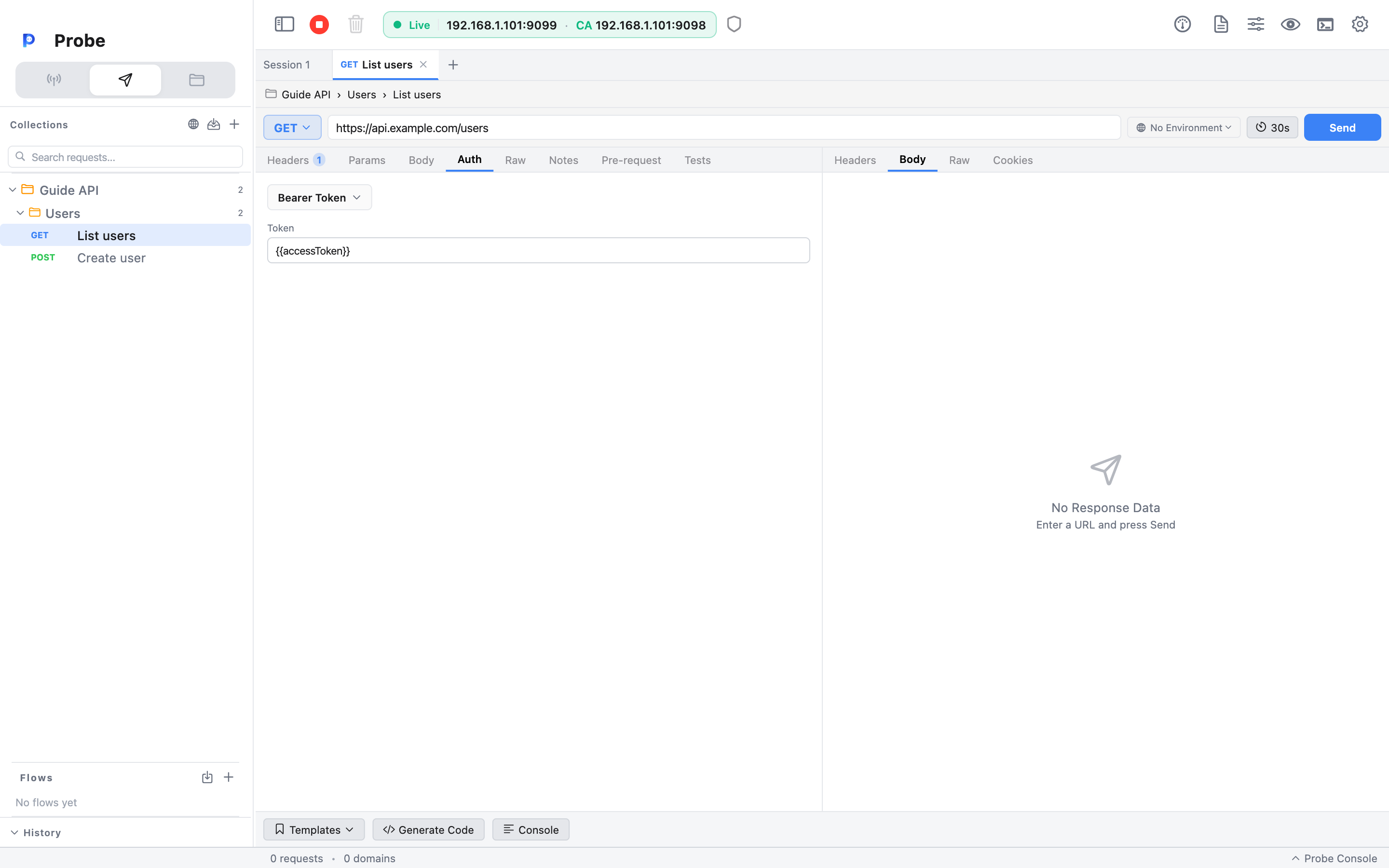
The five auth types
Section titled “The five auth types”| Type | Where it goes | Fields |
| ------------------- | -------------------------------------- | ------------------------------------------------------- |
| Inherit from parent | Resolved at send time from collection auth | None — uses whatever the collection has configured |
| No Auth | Nothing is added | None |
| Bearer Token | Authorization: Bearer <token> header | token |
| Basic Auth | Authorization: Basic <base64> header | username, password (encoded together at send time) |
| API Key | Custom header (default: X-API-Key) | key (header name), value |
| OAuth 2.0 | Authorization: Bearer <token> header | Token URL, client ID/secret, scope, redirect URI, grant type — used to fetch a token, then attached as Bearer |
Variables work in every field. {{token}} in the Bearer field resolves at send time using the rules from Environments & Variables.
Bearer Token
Section titled “Bearer Token”The simplest case. One field — the token. Probe sends:
Authorization: Bearer eyJhbGciOiJIUzI1NiIs…Pair this with an environment variable so you don't paste a real token into your collection. A common pattern:
- Define
tokenin your environment. - Set the request's auth to Bearer Token with value
{{token}}. - Use a pre-request script on a
/loginrequest to populate the variable:pro.environment.set('token', pro.res.json.access_token).
Now the rest of your collection picks up fresh tokens automatically.
Basic Auth
Section titled “Basic Auth”Username and password. Probe Base64-encodes username:password at send time and emits:
Authorization: Basic dXNlcjpwYXNzBoth fields support variables. Mark the password as a secret variable (see Environments & Variables) so it's masked in the editor and excluded from Postman exports.
API Key
Section titled “API Key”Picks any header name and any value. The default is X-API-Key, but plenty of vendors use their own (apikey, X-Auth-Token, Authorization: <key> without a scheme prefix). Set:
- Key — header name.
- Value — header value.
Probe adds it as a header on the outgoing request. Variables work in both fields.
OAuth 2.0
Section titled “OAuth 2.0”Probe's OAuth 2.0 helper runs the grant flow once and hands you a token, which you then use as a Bearer. Two grants are supported:
- Client Credentials — POST to the token URL with
client_id,client_secret, and optionalscope. No browser; you get a token straight back. - Authorization Code — Probe opens your default browser at the authorization URL, spins up a local listener on the redirect URI's port (default
http://localhost:9876/callback), captures thecode, then exchanges it at the token URL.
Fields the dialog asks for:
| Field | Both grants | Auth code only | | ---------------- | ----------- | -------------- | | Token URL | yes | yes | | Client ID | yes | yes | | Client Secret | yes | yes | | Scope | yes | yes | | Authorization URL | — | yes | | Redirect URI | — | yes |
Hit Get Token, complete the flow, and the access token populates a Bearer field. From there it behaves exactly like a manually-pasted Bearer token — Probe attaches Authorization: Bearer … to the request.
The flow parses expires_in and refresh_token from the token response, and the values are visible in the dialog. Refreshing on expiry isn't automatic — when the token goes stale, click Get Token again, or write a pre-request script that POSTs to the token URL with grant_type=refresh_token and stores the new value via pro.environment.set().
Inherit from parent
Section titled “Inherit from parent”Set the request's auth to Inherit from parent (the default for newly-created requests) and Probe applies the collection's default auth at send time. This is the right setting for the vast majority of your requests — configure auth once on the collection, and every request inside picks it up.
The resolution rule:
- Request auth is anything other than Inherit → that auth wins.
- Request auth is Inherit → look at the collection's default auth. If set, use it.
- Otherwise → no auth header is attached.
The Auth tab shows a subtle hint when Inherit is selected, telling you what the parent has configured (e.g. "Inheriting Bearer Token from collection 'My API'"). If the parent's auth changes, every inheriting request follows along automatically.
Setting collection-level auth
Section titled “Setting collection-level auth”Open the collection's Info view (click the collection name in the sidebar header, or right-click → Collection Info), pick the Auth tab, and configure exactly the same five types listed above. The collection's auth is the value that Inherit resolves to.
If you set a collection's auth to No Auth, inheriting requests get no header at all. If you set it to Inherit from parent at the collection level, and there's no further parent, the same applies — no header.